
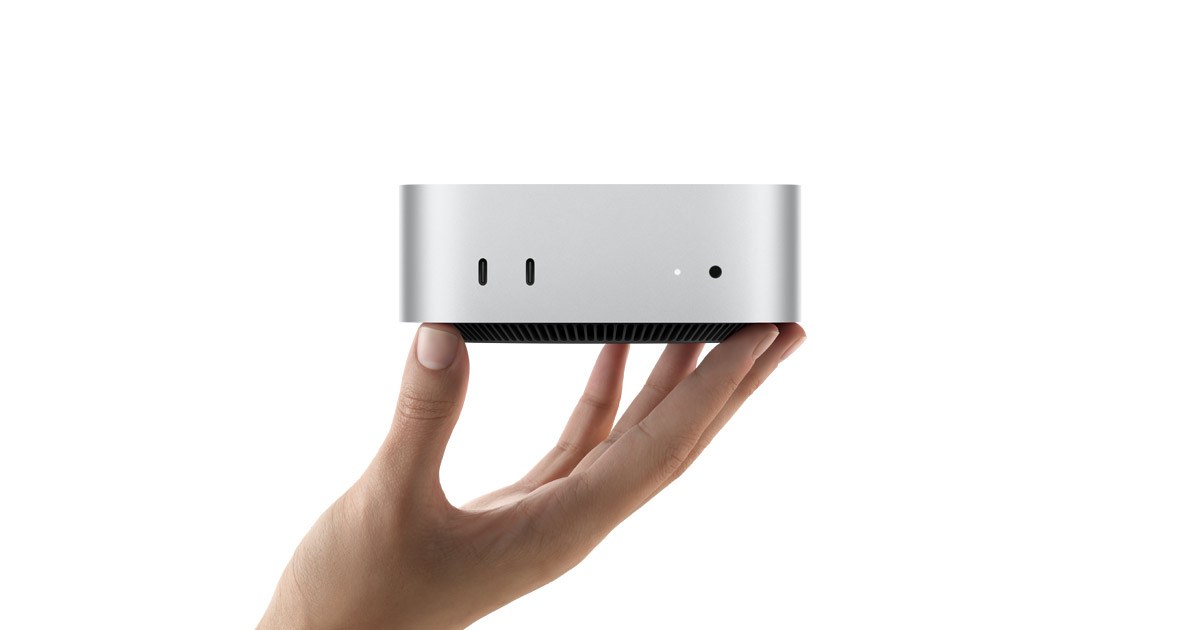
Apple’s desktop lineup looks different than it did a year ago, and not only because of new chips. Prices went up across the board in mid-2026, one entire product line quietly disappeared, and the cheapest machine in the range now runs newer silicon than the one that costs almost twice as much. If you’re trying to work out which Mac to buy in October 2026, here’s what the numbers actually say.
Apple’s desktop lineup, reshuffled
Start with what’s gone. Apple’s Mac Pro tower, still running the 2023-era M2 Ultra chip, was quietly discontinued on March 26, 2026 and not replaced by a subsequent tower Mac. There’s a rumour that a revived version is coming, which we’ll get to, but for now Apple’s own site lists the Mac mini, Mac Studio and iMac as its only current desktops.
Then there’s the price increase. In June 2026, Apple raised prices because of the ongoing memory chip shortage, resulting from companies building out data centers with powerful AI servers, which has led to skyrocketing prices for RAM and SSD storage chips used across the industry. The iMac, Mac mini and Mac Studio all got more expensive before any of them even had new chips.
Then came the actual refresh. Apple updated the Mac mini and Mac Studio within weeks of each other in September 2026, giving the mini an all-new M6 chip and an M5 Pro option, and giving the Studio M5 Max and M5 Ultra chips. The iMac, last touched in October 2024 with the M4, didn’t get the same treatment, and that gap matters for anyone deciding what to buy right now.
Mac mini: M6 for most people, M5 Pro for more headroom
The Mac mini is Apple’s cheapest Mac desktop, and for the first time in a while, the cheap one has the newer chip. Pricing on the Mac mini starts at $899 for the entry-level M6 model with 12-core CPU, 12-core GPU, 16GB of unified memory and 256GB of storage, while the higher-end M5 Pro version with 15-core CPU, 16-core GPU, 24GB of memory and 512GB of storage starts at $1,699.
That’s an unusual split. The M6 is built on a 2nm process and, according to Apple, contains the world’s fastest CPU core, and it’s also the only Mac mini with a Dual 16-core Neural Engine, which Apple says delivers up to twice the peak compute of the single Neural Engine in the M5 Pro. The M5 Pro still wins on raw throughput: it can be configured with up to an 18-core CPU and 20-core GPU, up to 64GB of memory, 307GB/s of memory bandwidth and Thunderbolt 5, none of which the M6 model offers.
One thing worth knowing before you click through Apple’s configurator: adding 32GB of memory and 2TB of storage to the M6 model pushes it well past its $899 starting price and narrows the gap to the M5 Pro considerably, at which point the M5 Pro entry configuration becomes the more sensible purchase for anyone doing professional work, since that extra money buys more CPU and GPU capacity, faster memory and Thunderbolt 5 rather than just more of the same chip.
Mac Studio: M5 Max and M5 Ultra, for when the mini isn’t enough
The Mac Studio sits well above the mini in both price and capability. The M5 Max Mac Studio starts at $2,499 ($2,299 for education), and the M5 Ultra model starts at $5,499 ($5,099 for education), with both machines shipping from September 22, 2026.
The M5 Max has an 18-core CPU with six super cores and 12 performance cores, and up to a 40-core GPU with Neural Accelerators, with up to 128GB of unified memory. Go up to M5 Ultra and the chip scales to a 36-core CPU, 80-core GPU, 512GB of unified memory and 1.2TB/s of memory bandwidth, which is roughly double what the M5 Max manages at its fastest configuration.
The chassis hasn’t changed. The 2026 Mac Studio keeps the 19.7-centimetre chassis and is refreshed with the M5 Max or the M5 Ultra, Apple’s first four-die chip, with up to 512GB of unified memory. Storage has moved forward, though: it now uses PCIe Gen 6 for twice the performance, while connectivity adds Wi-Fi 7, Bluetooth 6 and USB-C genlock. If you want the maximum 512GB memory configuration specifically, be patient: the Mac Studio with 512GB of unified memory isn’t shipping until late October, a few weeks after the rest of the lineup.
iMac: the only Mac with a screen, and now the oldest one
The iMac is Apple’s most iconic desktop machine, with a 24-inch display and the M4 chip, and it remains the only desktop Mac with a built-in screen. Apple hasn’t updated it since October 2024, which, in a lineup where everything else just got new silicon, is starting to show.
It also got more expensive without getting any faster. The iMac used to start at $1,299, but Apple raised prices for all Macs in June 2026 due to increasing component costs, and it now starts at $1,499 for an 8-core CPU, 8-core GPU, 16GB of memory, 256GB of storage, two Thunderbolt 4 ports and a Magic Keyboard. The step-up configuration with a 10-core CPU and GPU, four ports and a Touch ID keyboard also starts at $1,499 in its base spec. Maximum memory tops out at 32GB, with storage up to 2TB.
Spec sheet: all five configurations side by side
| Model | Chip | Starting price (US) | CPU / GPU cores | Unified memory | Storage |
|---|---|---|---|---|---|
| iMac | M4 | $1,499 | 8-core / 8-core (up to 10/10) | 16GB–32GB | 256GB–2TB |
| Mac mini | M6 | $899 | 12-core / 12-core | 16GB–32GB | 256GB–2TB |
| Mac mini | M5 Pro | $1,699 | 15-core / 16-core (up to 18/20) | 24GB–64GB | 512GB–8TB |
| Mac Studio | M5 Max | $2,499 | 18-core / 32-core (up to 40) | 36GB–128GB | 512GB–8TB |
| Mac Studio | M5 Ultra | $5,499 | 30-core / 64-core (up to 36/80) | 96GB–512GB | 1TB–16TB |
Price and bandwidth, charted
Line the starting prices up and the jump from mini to Studio is stark: you’re paying roughly 2.8 times as much to go from the cheapest Mac mini to the cheapest Mac Studio, and more than double that again for M5 Ultra.

Memory bandwidth tells a similar story, and it’s the single number that best predicts how a Mac will handle large exports, big Photoshop files or sprawling Final Cut timelines. The M6 Mac mini is fine for everyday work; the M5 Ultra Mac Studio is in another category entirely.

Current deals worth knowing about
Fall Prime Day discounting has pulled prices down on the newest machines already. Amazon has the brand new Mac mini for up to $149 off, with both M6 and M5 Pro models on sale, and the M5 Max Mac Studio with 36GB of RAM and a 512GB SSD discounted to $2,299, down from $2,499. On the mini specifically, the 16GB/256GB M6 model is $779.99 (a $119 saving) and the 16GB/512GB model is $949.99 (a $149 saving), and the M5 Pro 24GB/512GB configuration is marked down to $1,549.99, a $150 discount off MSRP. None of these are rumours or limited-time flash sales so much as the ordinary post-launch discounting Apple’s newest hardware always gets once it hits Amazon.
Best for… budget and use
Best for most people: the base M6 Mac mini. At $899 (less on sale) it has the newest chip Apple sells in any Mac, and for browsing, office work, photo editing and most coding it won’t be the bottleneck in your setup.
Best value upgrade: the M5 Pro Mac mini. If you edit video regularly, run local virtual machines, or just want Thunderbolt 5 and far more memory bandwidth, the jump from $899 to $1,699 buys a genuinely different class of machine, not just a faster clock speed.
Best for creative professionals: the M5 Max Mac Studio. At $2,499 it’s the realistic ceiling for most people doing serious photo, video or audio work, with up to 128GB of memory for large files and multiple external displays.
Best for the most demanding workloads: the M5 Ultra Mac Studio. At $5,499 and up, this is for people who already know they need 96GB of memory or more and 1.2TB/s of bandwidth. If you’re not sure you need it, you don’t.
Best if you need a screen: the iMac, with a caveat. It’s the only Mac with a display built in, but it’s two years old, its M4 chip trails the mini’s M6 in several benchmarks, and it just got $200 more expensive for no extra performance. A Mac mini plus a separate monitor is the better deal right now unless the all-in-one form factor is non-negotiable for your desk.
Buy now or wait
The Mac mini and Mac Studio are safe buys. Both were refreshed in September 2026, and Apple reportedly has no plans for an M6 Pro chip, so the M5 Pro will remain the highest-end Mac mini option until the M7 family arrives in 2027. That’s a long runway before either machine looks dated.
The iMac is a different story, and this is rumour territory rather than confirmed. Apple watchers have flagged that the price hike, the age of the current design and an update already in the works mean now is not a good time to buy, with pricing starting at $1,499 for a machine that still runs the M4 chip from 2024. If a screen-equipped Mac matters to you and you can wait, holding off on the iMac looks like the sensible move.
The Mac Pro is the wildcard. It’s officially discontinued, but there are signs of a comeback: code found internally suggests Apple is testing a revived Mac Pro with a chip in the M4 Ultra class and up to 512GB of unified memory and Thunderbolt 5. Nothing has been confirmed, and Apple hasn’t put a timeline on it, so treat this strictly as a rumour rather than a reason to delay a Mac Studio purchase.
What this means for you
If you’re buying today and don’t have a specific reason to spend more, get the base M6 Mac mini and put the savings toward storage or a better monitor. If your work genuinely needs more memory bandwidth or Thunderbolt 5, the M5 Pro mini is the smallest step up that actually changes what the machine can do. Skip the iMac unless you specifically need the all-in-one design, since you’re paying 2024 performance at a 2026 price. And unless you already know your workload needs 96GB of memory or more, the Mac Studio’s entry M5 Max configuration will outlast most budgets and most projects before it becomes the bottleneck.
Sources
- MacRumors: M6 vs. M5 Pro Mac Mini Buyer’s Guide
- MacRumors: Mac mini roundup
- RedShark News: Mac mini M6, M5 Pro price and specs
- RedShark News: Mac Studio M5 Max, M5 Ultra price and specs
- Macworld: Mac Studio 2026 specs, prices and benchmarks
- Zeera Wireless: Mac Studio 2026 buying guide
- Silikode: Mac Studio M5 Max and M5 Ultra specs
- MacRumors: iMac roundup
- Apple: iMac technical specifications
- MacRumors: Apple raises prices on 14 products
- EveryMac: Mac Pro Apple Silicon specs and discontinuation date
- Macworld: New Mac Pro rumours
- MacRumors: Mac mini and Mac Studio price cuts at Amazon
- AppleInsider: Amazon slashes up to $200 off Mac mini, Mac Studio
Header image: official press image from apple.com.